


Your website looks professional, your services are ready, and your business is operating. But when potential customers search for your products or services on Google, your website is nowhere to be found.
Sound familiar?
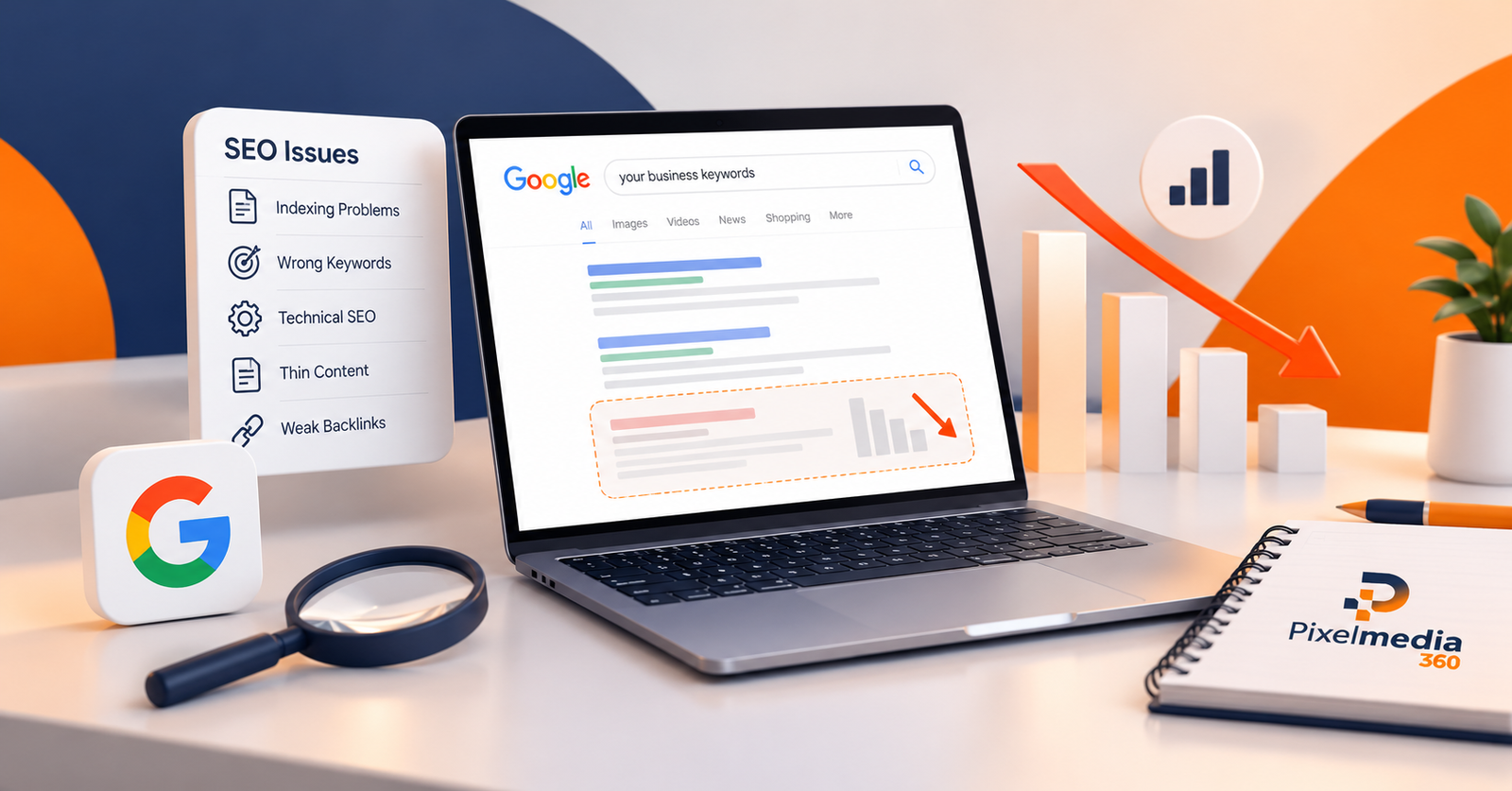
Many business owners face the same problem: their website is not ranking on Google, despite investing time and money into design, development, and content.
In 2026, having an attractive website is not enough. Search engines need to discover your pages, understand your content, and determine whether your website provides relevant information for users.
The good news is that many Google ranking problems can be identified and improved through a structured SEO strategy.
In this guide, we explain 10 common SEO mistakes that may be preventing your website from ranking on Google, along with practical solutions to improve your search visibility.
Why Is Your Website Not Ranking on Google?
Before fixing your SEO, it is important to understand why your website might be struggling.
Google uses automated systems to discover, index, and rank web pages based on numerous factors, including relevance, content quality, usability, and other signals.
A website may struggle to appear in search results because:
- Important pages are not indexed.
- Content does not match search intent.
- Keywords are too competitive or poorly targeted.
- Technical issues prevent crawling.
- Your website offers limited original value.
- Competitors provide more useful information.
Sometimes, the problem is not that your website is completely missing from Google. Your pages may already be indexed but ranking too low for competitive keywords.
Understanding the difference between indexing problems and ranking problems is the first step toward improving your SEO performance.
1. Your Website Is Not Properly Indexed
One of the most important reasons your website is not ranking on Google is that its pages may not be indexed.
Google must generally discover and index a page before it can appear in regular search results.
Common indexing issues include:
- Accidental noindex tags
- Incorrect robots.txt restrictions
- Server errors
- Unnecessary redirects
- Incorrect canonical tags
- Poor internal linking
- Duplicate or low-value pages
How to Fix It
Start by checking your website in Google Search Console.
Open the Pages report under Indexing and identify which important URLs are excluded.
Next, use URL Inspection to examine individual pages.
Check whether your important pages are accessible, return an appropriate HTTP status, use the intended canonical URL, and permit indexing.
You should also submit an accurate XML sitemap containing your preferred indexable URLs.
Remember that submitting a sitemap helps Google discover pages but does not guarantee indexing.
2. You Are Targeting the Wrong Keywords
Keyword research is the foundation of an effective SEO strategy.
One common mistake businesses make is targeting keywords that are either too competitive or unrelated to what their customers actually search for.
For example, a new digital marketing agency might try to rank immediately for the keyword “digital marketing.”
Although the term is relevant, it is broad and highly competitive.
A more targeted approach might focus on:
- SEO services in Islamabad
- Digital marketing agency in Rawalpindi
- Local SEO services for small businesses
- Website SEO audit services
- E-commerce SEO services in Pakistan
These keywords can attract a more specific audience, although their actual search demand and competition should be validated through keyword research.
How to Fix It
Conduct keyword research using tools such as Google Keyword Planner, Google Search Console, Ahrefs, or Semrush.
Prioritize keywords based on relevance, search intent, competition, and business value.
Create individual service pages where the topics are sufficiently distinct, rather than targeting unrelated keywords on a single page.
SEO Tip: Choose keywords based on what your potential customers need, not simply on search volume.
3. Your Website Has Technical SEO Issues
Even well-written content can struggle to perform when technical problems prevent search engines from accessing or understanding it.
Technical SEO focuses on website infrastructure, crawling, indexing, rendering, and other underlying elements.
Common technical SEO problems include:
- Broken internal links
- Incorrect HTTP redirects
- Server-side errors
- Conflicting canonical signals
- JavaScript rendering problems
- Poor mobile accessibility
- Inconsistent URL structures
For example, an important service page that accidentally redirects to an unrelated page may lose its intended search visibility.
How to Fix It
Perform a comprehensive technical SEO audit.
Examine crawlability, indexing directives, redirects, canonical URLs, internal links, structured data, and server responses.
Use Google Search Console and a suitable website crawler to identify issues.
At Pixel Media 360, our SEO services focus on identifying technical barriers and developing practical improvements to support search visibility.
4. Your Content Does Not Match Search Intent
Publishing content is not enough if it does not answer the questions users are asking.
Search intent describes the purpose behind a search query.
There are four broad types of search intent:
| Search Intent | Example |
| Informational | What is technical SEO? |
| Commercial | Best SEO agency in Pakistan |
| Navigational | Pixel Media 360 website |
| Transactional | Hire SEO services in Islamabad |
A common SEO mistake is creating promotional service content for a keyword where users primarily want an educational guide.
How to Fix It
Analyze the search results for your target keyword.
Identify the type of content already being shown and, more importantly, what users are trying to accomplish.
Then create original content that directly addresses those needs.
For informational searches, use clear explanations, examples, and actionable steps.
For commercial searches, provide service details, differentiators, relevant evidence, and straightforward contact information.
Useful content that satisfies the intended search is more valuable than content written solely to repeat keywords.
5. Your Website Has Poor Internal Linking
Internal linking connects different pages within your website.
It helps visitors navigate related content and allows search engines to discover other pages.
Without a clear internal linking structure, important service pages and blog posts can become difficult to find.
For example, a blog about website ranking problems can naturally link to your SEO services page.
Similarly, an article about attracting nearby customers can link to a relevant local SEO service page.
How to Fix It
Create a logical internal linking strategy.
Link related blogs to appropriate service pages, connect supporting articles with broader guides, and ensure important pages are accessible through normal website navigation.
Use descriptive anchor text that tells visitors what they can expect on the linked page.
Avoid forcing links into irrelevant sections or repeating the same keyword excessively.
SEO Tip: Internal links should help users explore relevant information, not simply increase the number of links on a page.
6. Your Website Is Slow or Not Mobile-Friendly
A website that loads slowly or is difficult to use on mobile devices can frustrate visitors and make it harder for them to engage with your content.
Google recommends providing a strong page experience, including good Core Web Vitals.
Three important metrics are:
- Largest Contentful Paint (LCP): Measures loading performance.
- Interaction to Next Paint (INP): Measures how quickly a page responds to user interactions.
- Cumulative Layout Shift (CLS): Measures unexpected visual movement.
Good Core Web Vitals are useful, but they do not guarantee high search rankings.
How to Fix It
Improve website performance by:
- Compressing oversized images
- Using modern image formats
- Reducing unnecessary scripts
- Implementing suitable caching
- Optimizing fonts and layout stability
- Improving server response times
- Ensuring essential content works on mobile devices
Test important pages using Google PageSpeed Insights and monitor real-user performance in Google Search Console.
A faster, more accessible website can improve the overall visitor experience.
7. Your Website Has Weak Backlink Signals
Backlinks are links from other websites pointing to your content.
They can help search engines discover pages and may contribute to how your website is evaluated.
However, not every backlink provides the same value.
An irrelevant link from a low-quality website is not equivalent to an editorial link from a reputable and relevant source.
Common link-building mistakes include:
- Purchasing large quantities of spammy links
- Using automated link schemes
- Participating in excessive link exchanges
- Creating backlinks from irrelevant websites
- Focusing on link quantity instead of quality
How to Fix It
Develop content and resources that other websites may genuinely want to reference.
Examples include original research, industry insights, detailed tutorials, and useful tools.
Build relationships with relevant publications and industry organizations.
Avoid manipulative link schemes designed primarily to influence rankings.
A sustainable link acquisition strategy emphasizes relevance, editorial value, and credibility.
8. Your Website Contains Thin or Duplicate Content
Another reason your website may not rank effectively is that its pages provide limited value or repeat information already available elsewhere.
Thin content usually refers to pages that provide little useful information relative to their purpose.
Common examples include:
- Service pages with almost no explanation
- Repetitive city landing pages
- Automatically generated pages without meaningful value
- Blogs written only around keywords
- Product descriptions copied from other websites
Duplicate content is not automatically a Google penalty, but substantial duplication can complicate canonical selection and create unnecessary indexing inefficiencies.
How to Fix It
Review your existing website content.
Identify pages that need improvement, consolidation, or removal.
Expand useful pages with original information, practical examples, clear explanations, and answers to relevant customer questions.
Use appropriate canonical URLs where duplicate or near-duplicate page versions exist.
SEO Tip: Ten genuinely useful pages can serve your audience better than dozens of repetitive, low-value articles.
9. You Are Ignoring Local SEO
If your business serves customers in a particular city or region, overlooking local SEO can limit your visibility for location-based searches.
For example, a business operating in Islamabad might want to appear when customers search for:
- Digital marketing agency in Islamabad
- SEO company near me
- Website development services in Rawalpindi
Local SEO helps businesses improve their relevance and visibility in geographic search results.
How to Fix It
If your business is eligible, create or optimize your Google Business Profile.
Ensure your business name, contact details, category, and other information accurately reflect your operations.
Maintain consistent business information across relevant directories.
Create useful location-specific content, respond professionally to customer reviews, and keep your services updated.
Our Local SEO services at Pixel Media 360 help businesses develop location-focused strategies for reaching relevant customers.
10. You Are Not Monitoring SEO Performance
SEO requires consistent measurement and analysis.
Without performance tracking, businesses may continue investing in ineffective keywords, overlook technical problems, or miss valuable search opportunities.
Some website owners focus exclusively on keyword positions while ignoring enquiries, leads, and actual business outcomes.
How to Fix It
Use Google Search Console to monitor:
- Organic clicks
- Search impressions
- Search queries
- Average search position
- Indexing status
- Core Web Vitals
Use Google Analytics 4 to evaluate relevant website engagement and conversions.
Compare meaningful reporting periods, review individual landing pages, and identify changes that require investigation.
A decline in clicks does not always indicate a technical problem. It may also reflect changing search demand, competition, or search-result presentation.
Regular analysis helps businesses make more informed SEO decisions.
How to Improve Your Google Rankings in 2026
After identifying your website’s SEO problems, the next step is creating a structured improvement plan.
Start with an SEO audit to determine whether your biggest obstacles involve indexing, technical accessibility, content relevance, or competition.
Resolve problems that prevent important pages from being crawled or indexed.
Next, improve existing pages based on search intent and keyword opportunities.
Develop relevant supporting content and connect it through logical internal links.
Continue monitoring organic performance and make adjustments using reliable data.
Remember that SEO is a continuous improvement process, not a guaranteed shortcut to first-page rankings.
The most effective approach combines technical accessibility, relevant content, a useful visitor experience, and consistent measurement.
How Pixel Media 360 Can Help Your Website Rank Better
Struggling to understand why your website is not appearing on Google?
At Pixel Media 360, we help businesses identify SEO weaknesses and develop strategies aimed at improving organic search visibility.
Our services include:
- Technical SEO audits
- Keyword research and competitor analysis
- On-page SEO optimization
- Content strategy and optimization
- Local SEO services
- E-commerce SEO
- Link-building strategy
- SEO performance monitoring
We work with businesses to understand their target audience, website performance, and growth objectives before recommending appropriate improvements.
Whether you operate a startup, service-based business, or e-commerce website, our approach focuses on practical SEO solutions and measurable progress.
Explore our professional SEO services to understand how we can support your website’s organic search strategy.
Frequently Asked Questions (FAQs)
1. Why is my website not showing on Google?
Your website may not be indexed, may have technical restrictions, or may not rank prominently for the keywords you are searching. Check Google Search Console to determine whether the issue involves indexing or search visibility.
2. How long does it take for a new website to rank on Google?
There is no guaranteed timeline. Crawling and indexing may take days or longer, while achieving meaningful rankings for competitive keywords can require months of sustained SEO improvements.
3. Can I improve my Google rankings without backlinks?
Yes. Websites can improve their visibility through stronger content, better keyword targeting, technical improvements, and internal linking. Backlinks may support competitiveness, but they are not a prerequisite for every ranking improvement.
4. Does updating old content improve SEO?
Updating outdated information, improving accuracy, and adding genuinely useful details can make existing content more relevant. Changing publication dates or adding unnecessary text alone does not guarantee improved rankings.
5. Why are my pages indexed but not ranking?
Indexed pages may still rank poorly because competing pages better satisfy search intent, provide stronger information, or demonstrate greater relevance. Indexing makes a page eligible to appear; it does not guarantee prominent placement.
6. How can I check whether Google has indexed my website?
Use the URL Inspection tool in Google Search Console to check an individual page’s indexing status. The Pages report provides broader information about indexing across your website.
7. Can an SEO agency guarantee first-page rankings?
No legitimate SEO agency can guarantee a specific Google ranking. Search results are generated by Google’s systems, and performance depends on numerous factors outside an agency’s direct control.
Final Thoughts
If your website is not ranking on Google in 2026, the solution starts with identifying the actual problem rather than making random SEO changes.
Technical errors, indexing restrictions, poor keyword targeting, weak content, and ineffective website structures can all limit organic visibility.
By addressing these 10 common SEO mistakes, your business can build a stronger foundation for long-term search performance.